Retro Pi
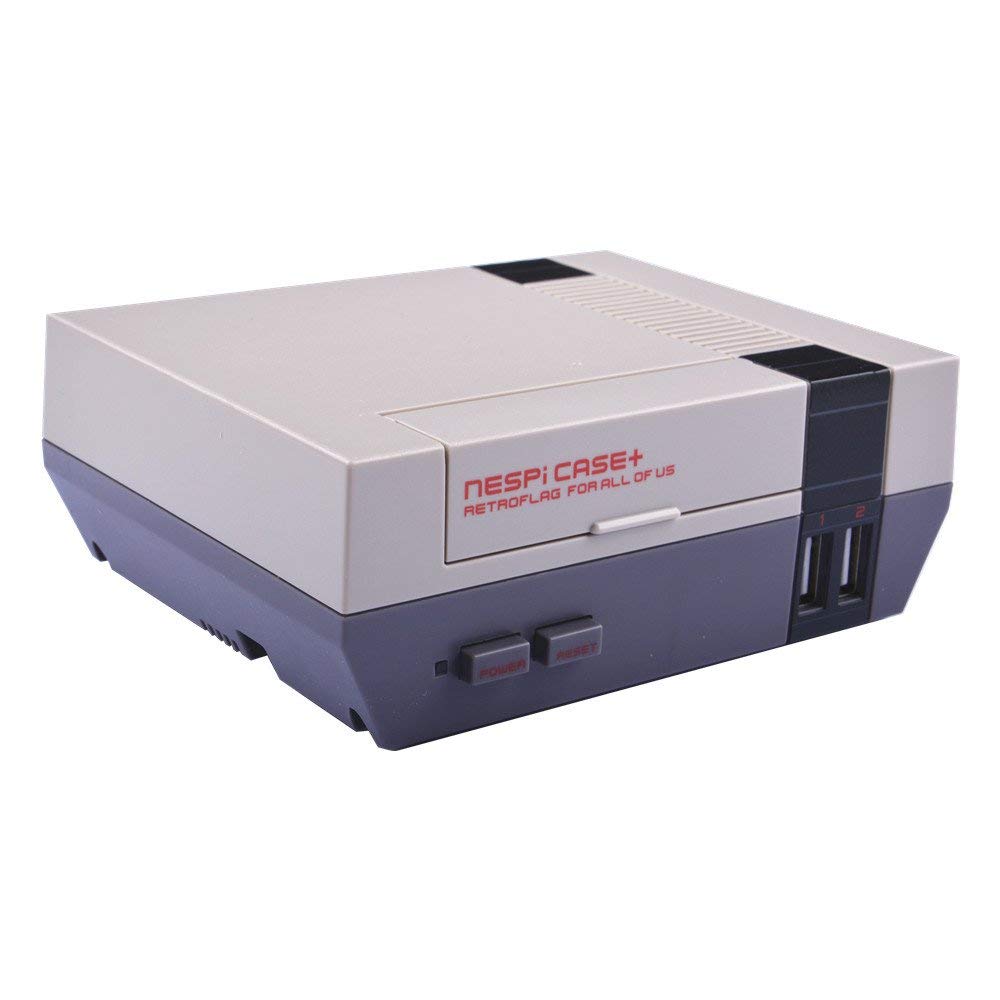
I have always wanted to have an easy-to-use emulator so that I can play old retro games. Especially those PS1 games, as they bring lots of childhood memories. I'm also a big fan of the real classics such as Pac-Man, Space Invaders and Dig Dug. This meant that the Retro Pi was a great project for me, and I have to say I'm pretty happy with the result.
After a bit of research, I found that the inexpensive Raspberry Pi mini-computer had been hailed as the perfect all-in-one retro game console within the community. It was the perfect computer for my project, though it still had a few issues to solve: no case, no power switch, heat, no easy shutdown or reboot, no storage and no pre-installed operating system.
Those issues were easy to solve and, in some cases, turned into advantages. I chose a case similar to the classic NES. It added power and reboot switches, front USB ports and a fan to keep the system cool.
For storage I used a 128GB Class 10 SD card, which was more than enough for my games. I installed RetroPie and followed its wiki to get the system working, including the extra BIOS configuration needed for the PSX emulator.
The final touches were safe shutdown and reboot support, plus Bluetooth controllers. I chose the 8BitDo SN30 Pro wireless gamepad, which was relatively easy to set up.